
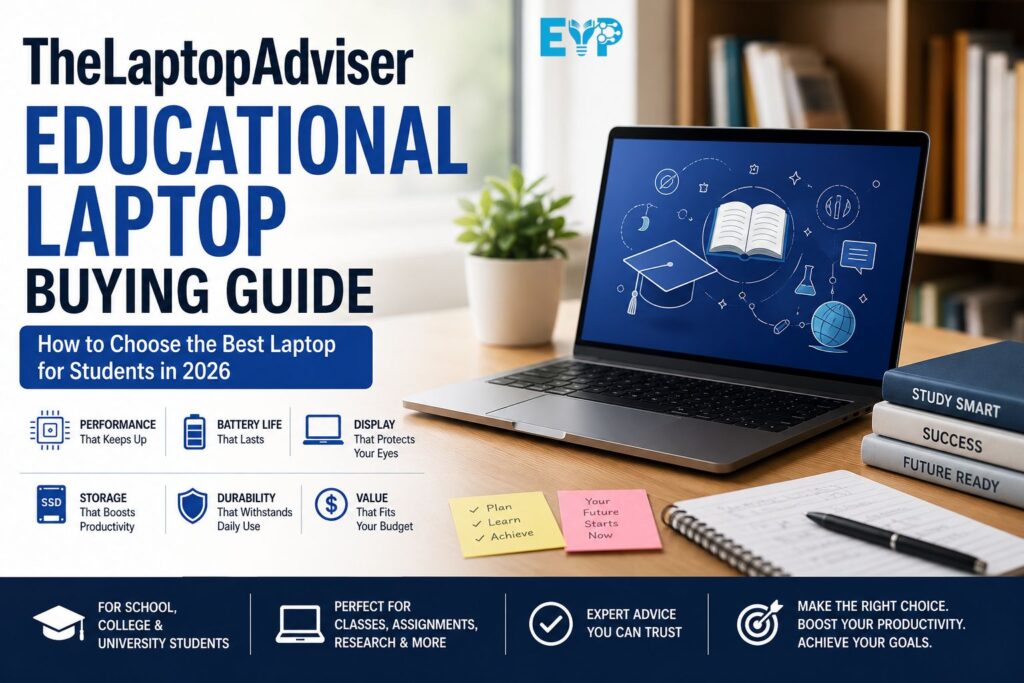
Choosing a new laptop isn’t as simple as it used to be. Students now rely on their devices for everything from attending online classes and collaborating on group projects to running AI-powered productivity tools, writing research papers, coding, editing videos, and managing daily coursework. A laptop isn’t just another gadget anymore. It’s the center of modern digital learning.
That also means the wrong purchase can become an expensive mistake. A laptop with an outdated processor, limited RAM, or poor battery life may struggle long before graduation. On the other hand, paying extra for hardware you never use isn’t a smart investment either.
This TheLaptopAdviser Educational Laptop Buying Guide is designed to help you make an informed decision based on how students actually work in 2026. Instead of chasing marketing claims or flashy specifications, you’ll learn which features genuinely improve your academic experience and which ones you can safely ignore.
What Is an Educational Laptop?
An educational laptop is a computer built to support learning rather than entertainment. It should handle everyday academic tasks such as writing assignments, researching online, joining virtual lectures, creating presentations, and running the software required for your course.
Unlike many consumer laptops that focus on gaming or media creation, an education-focused device emphasizes reliability, portability, and long-term usability. The goal isn’t to buy the fastest machine available. It’s to choose one that keeps up with your daily workload without slowing you down.
The philosophy behind thelaptopadviser education laptops is simple. Match the hardware to the student’s actual needs. A business student doesn’t require the same laptop as an architecture student, and someone taking online classes has different priorities than someone compiling code every day.
Identify Your Academic Needs Before Buying
Buying a laptop without thinking about your coursework often leads to overspending or disappointment. Before comparing brands or prices, ask yourself one question: What will I actually do with this laptop every day?
Your answer determines everything from the amount of RAM you need to whether you should invest in a dedicated graphics card.
High School Students
Most school students spend their time using web browsers, Google Workspace, Microsoft Office, educational websites, streaming lessons, and cloud-based learning platforms.
A dependable student laptop with an efficient mid-range CPU, 8GB RAM, and a 256GB SSD is more than capable of handling these activities. Choosing lightweight hardware also makes carrying it between classes much easier.
College and University Students
For many university students, workloads become more demanding. Multiple browser tabs, research databases, spreadsheets, presentations, and communication platforms often run at the same time.
This is where 16GB RAM becomes worthwhile. It provides smoother multitasking, improves overall student productivity, and helps maintain a responsive workflow during busy semesters.
Online Learners and Remote Education
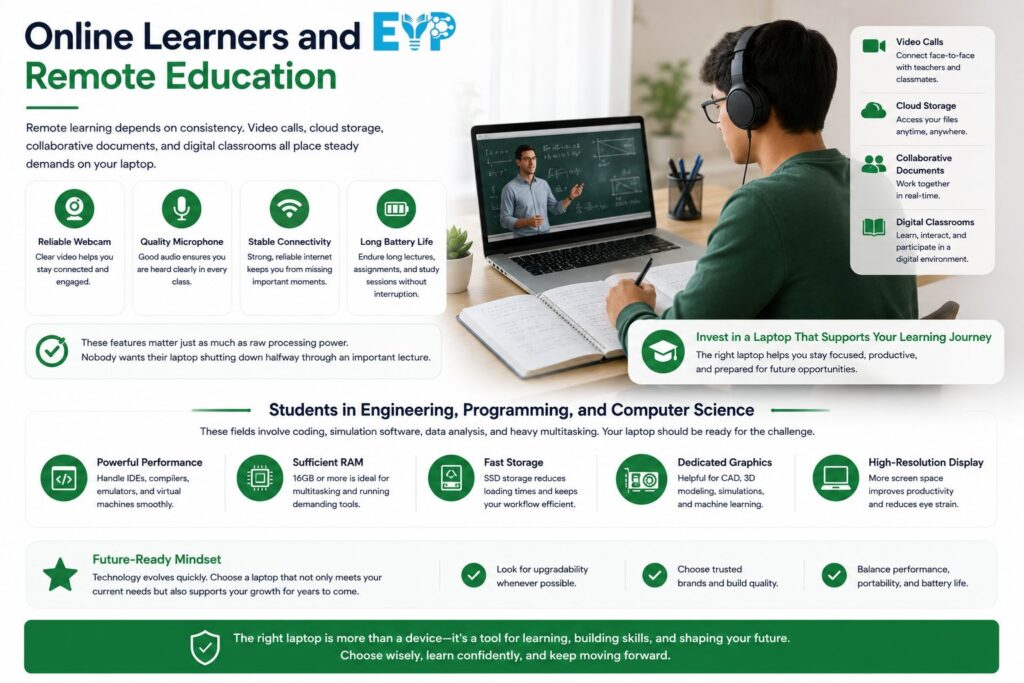
Remote learning depends on consistency. Video calls, cloud storage, collaborative documents, and digital classrooms all place steady demands on your laptop.
A reliable webcam, quality microphones, stable wireless connectivity, and long real-world battery life matter just as much as raw processing power. Nobody wants their laptop shutting down halfway through an important lecture.
Students in Engineering, Programming, and Computer Science
Programming isn’t particularly demanding by itself. However, running virtual machines, multiple coding environments, databases, Docker containers, or software simulators can quickly consume memory and processing resources.
Students pursuing engineering or computer science should prioritize a modern multi-core processor, 16GB RAM, and fast SSD storage. These upgrades noticeably improve compilation times and overall workflow.
Students in Graphic Design, Architecture, and Creative Fields
Creative applications place much heavier demands on hardware than traditional office software.
Programs used for graphic design, video editing, 3D modeling, and architectural visualization benefit from more powerful processors, larger memory capacity, color-accurate displays, and in many cases, dedicated graphics.
Choosing the right hardware today can save hours of waiting for projects to render later.
Minimum and Recommended Laptop Specifications for Students in 2026
Specifications often confuse first-time buyers because manufacturers advertise impressive numbers without explaining their practical impact.
Instead of chasing the highest figures, focus on building a balanced system that performs well throughout your degree.
Processor (CPU) Requirements
The CPU acts as your laptop’s brain. Every application, browser tab, and background task depends on it.
Modern options like Intel Core Ultra processors, Intel Core i5 and i7 chips, AMD Ryzen 5 and Ryzen 7 processors, and Apple’s M-series chips all provide excellent performance for most students.
For everyday coursework, a recent mid-range processor delivers the best value. Spending hundreds more for a flagship chip rarely improves everyday activities like note-taking or web browsing.
Students who regularly edit videos, compile large software projects, or perform engineering simulations may benefit from higher-end processors. Everyone else can comfortably choose a balanced configuration.
RAM Requirements
Think of RAM as your laptop’s short-term memory. The more memory available, the easier it becomes to keep several applications running without slowing down.
Here’s a practical comparison.
| RAM | Best For |
|---|---|
| 8GB RAM | Web browsing, assignments, online classes, Office apps |
| 16GB RAM | Multitasking, coding, creative software, long-term value |
| 32GB RAM | Professional editing, virtualization, advanced engineering work |
While 8GB RAM still works for basic education, 16GB RAM has become the safer recommendation for students planning to keep their laptop for several years.
Storage Requirements
Storage affects far more than file capacity.
Modern SSD drives dramatically improve boot time, application loading, file transfers, and overall responsiveness. Once you’ve experienced an SSD, going back to a traditional Hard Disk Drive (HDD) feels painfully slow.
A 256GB SSD works for many students who primarily store files in cloud services. Those working with media files, programming projects, or design software should strongly consider 512GB or larger storage.
The debate between SSD vs HDD is effectively over. For education, speed matters far more than inexpensive storage capacity.
Graphics Requirements
Many students assume every laptop needs dedicated graphics. In reality, that’s rarely true.
Integrated graphics found in modern Intel, AMD, and Apple processors easily handle presentations, research, streaming, office work, programming, and everyday coursework.
A dedicated GPU only becomes important if your studies involve video production, advanced CAD applications, machine learning, or complex 3D rendering.
Buying gaming hardware simply because it looks powerful usually adds unnecessary cost, weight, and reduced battery performance.
Choosing the Right Display for Long Study Sessions
Students spend thousands of hours looking at their screens throughout college. Display quality deserves far more attention than it usually gets.
A good screen reduces eye fatigue, improves readability, and makes studying much more comfortable.
Ideal Screen Size
Screen size affects portability as much as usability.
A 13-inch or 14-inch laptop offers excellent mobility for students who walk across campus every day. They’re easy to carry and fit comfortably into most backpacks.
A 15.6-inch display provides more workspace for spreadsheets, split-screen multitasking, and creative applications. Sixteen-inch models work well for demanding workloads, although they sacrifice some portability.
There’s no universal best size. It depends on how often you’ll carry your laptop and how much screen space your coursework requires.
Resolution
A Full HD (1920×1080) display remains the sweet spot for most students.
Text appears sharp, presentations look clear, and battery efficiency stays strong. Higher resolutions like 2.5K or 4K certainly look impressive, although they often increase cost without delivering meaningful benefits for typical coursework.
Unless your work involves photography or professional design, Full HD offers the best balance.
IPS vs OLED Displays
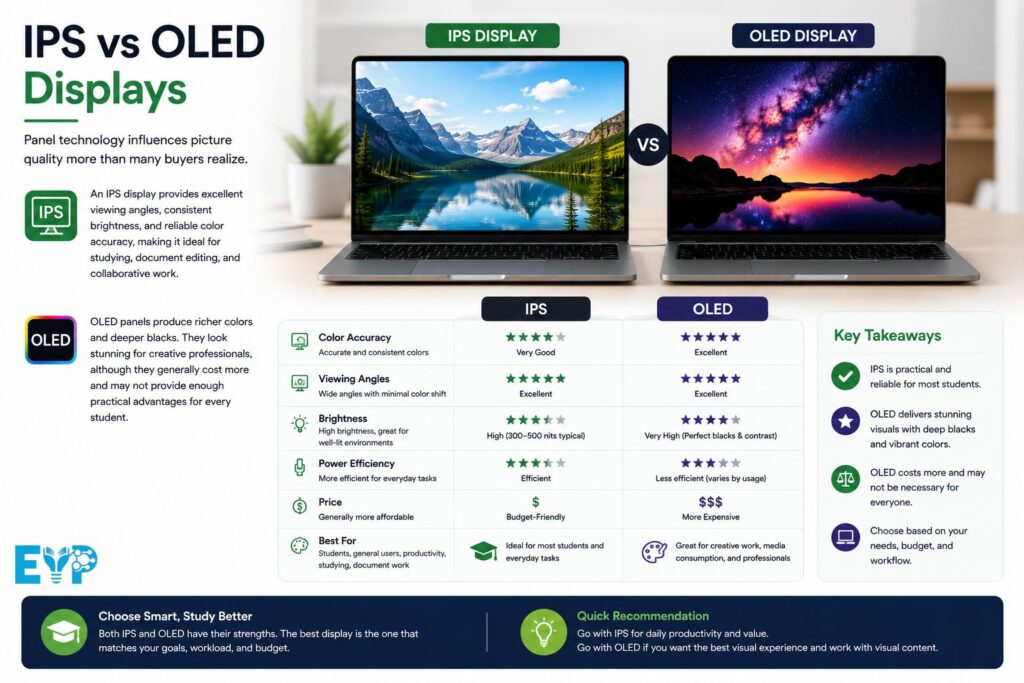
Panel technology influences picture quality more than many buyers realize.
An IPS display provides excellent viewing angles, consistent brightness, and reliable color accuracy, making it ideal for studying, document editing, and collaborative work.
OLED panels produce richer colors and deeper blacks. They look stunning for creative professionals, although they generally cost more and may not provide enough practical advantages for every student.
Brightness and Anti-Glare Coatings
Classrooms rarely have perfect lighting.
A display with around 300 nits of brightness performs well indoors, while brighter panels improve outdoor visibility. An anti-glare finish also helps reduce reflections during long study sessions.
These small details make everyday use noticeably more comfortable.
Refresh Rate—Does It Matter for Students?
Higher refresh rates have become increasingly common.
While a 120Hz display feels smoother when scrolling or moving windows, it isn’t essential for writing assignments or attending lectures.
Most students should prioritize battery life, display quality, and overall performance before paying extra for a faster refresh rate.
Battery Life That Lasts Through a Full School Day
Few things are more frustrating than searching for an available power outlet before your afternoon lecture.
Reliable battery life gives you the freedom to work wherever your day takes you.
Real-World Battery Expectations
Ignore manufacturer claims that promise twenty hours of battery life. Those numbers usually come from carefully controlled testing conditions.
In everyday use, web browsing, note-taking, video meetings, and document editing produce much different results.
A laptop delivering eight to twelve hours of genuine real-world battery life is a far more realistic target for students.
Fast Charging Benefits
Modern charging technology has become surprisingly useful.
Many current laptops recover around half their battery capacity within thirty to forty-five minutes. That quick recharge can easily get you through another lecture or library session.
Fast charging is one of those features you don’t appreciate until the first day you actually need it.
USB-C Charging Convenience
More manufacturers now support USB-C charging.
That means one compact charger can often power your laptop, smartphone, tablet, and accessories. Fewer cables also make your backpack lighter and your workspace cleaner.
It’s a small convenience that quickly becomes part of your daily routine.
Portability and Build Quality
Students carry their laptops almost everywhere. A device that feels manageable on day one can become surprisingly heavy after several months of commuting.
Comfort matters more than many buyers expect.
Ideal Laptop Weight for Students
Most students find laptops weighing between 1.2kg and 1.5kg comfortable for daily travel.
Anything significantly heavier becomes noticeable during long walks across campus or while commuting on public transportation.
A lightweight laptop also encourages you to bring it more often, making it easier to stay productive wherever you study.
Thin-and-Light vs Performance Laptops
Thin laptops prioritize mobility and battery efficiency.
Performance-focused machines usually include more powerful cooling systems and faster components, although they add extra weight and reduce portability.
Unless your coursework requires demanding creative applications, most students benefit more from portability than maximum hardware performance.
Aluminum vs Plastic Chassis
Premium aluminum bodies feel more rigid and resist flexing during everyday use.
Plastic laptops, however, have improved dramatically over the past few years. Many now offer impressive durability while keeping costs lower.
Instead of focusing only on materials, pay attention to overall construction quality and real user experiences.
Hinge Strength and Overall Durability
Laptop hinges open and close thousands of times during their lifespan.
A sturdy hinge contributes directly to long-term reliability. Reinforced designs reduce wobbling, improve durability, and help prevent expensive repairs later.
Checking long-term reviews often reveals durability issues that specification sheets never mention.
Keyboard, Touchpad, and Webcam Quality
These are the features you’ll interact with every single day. Surprisingly, they’re often overlooked during the buying process.
Even a powerful laptop feels frustrating if typing isn’t comfortable.
Comfortable Keyboard for Long Typing Sessions
Students spend countless hours writing essays, completing assignments, and taking lecture notes.
Look for keyboards with comfortable key travel, consistent spacing, and solid feedback. A well-designed keyboard reduces fatigue and makes long writing sessions far more enjoyable.
Precision Touchpads
A responsive touchpad improves navigation far more than many people expect.
Large precision touchpads support smooth gestures, accurate cursor movement, and dependable palm rejection. They help maintain productivity even when you don’t have space for an external mouse.
1080p Webcam for Online Classes
Video meetings remain part of modern education.
A 1080p webcam produces noticeably clearer images during interviews, online discussions, virtual classrooms, and presentations than older 720p cameras.
Image quality also reflects professionalism when meeting professors or participating in internships.
Microphones and Speakers for Virtual Learning
Clear communication matters just as much as video quality.
Good microphones reduce background noise while quality speakers make lectures easier to follow without constantly reaching for headphones.
When evaluating a thelaptopadviser educational laptop, don’t overlook these everyday features. They contribute just as much to your overall user experience as raw hardware specifications and often determine how enjoyable your laptop feels throughout years of study.
Choosing the Best Operating System
The operating system shapes your entire experience. It determines which applications you can install, how smoothly your laptop integrates with other devices, and how long you’ll receive software updates.
There’s no universal winner. The best choice depends on your coursework, your budget, and the software you’ll use every day.
Windows Laptops
A Windows laptop remains the most flexible option for students. Almost every university application, business program, engineering tool, and specialized academic platform supports Windows.
Whether you’re studying accounting, computer science, engineering, healthcare, or business, you’ll rarely encounter compatibility problems. Windows also offers the widest range of hardware, from affordable budget laptops for students to premium ultrabooks.
macOS
A macOS laptop delivers excellent battery efficiency, outstanding build quality, and a polished user experience. Apple’s M-series processors also provide exceptional performance while remaining quiet and cool.
MacBooks are particularly popular among students in creative fields such as photography, video editing, music production, and graphic design. Before buying one, however, verify that your university’s required software supports macOS. Some engineering and technical programs still work best on Windows.
ChromeOS
A ChromeOS laptop focuses on simplicity. If your classes revolve around web applications, cloud storage, email, and Google Workspace, a Chromebook may be all you need.
They’re often affordable, lightweight, and easy to manage. The tradeoff is software compatibility. Many desktop applications simply aren’t available for ChromeOS.
Linux for Technical Students
Linux isn’t the right choice for everyone, yet it remains popular among computer science students and developers.
It provides a flexible environment for programming, servers, networking, and open-source development. If your degree includes software engineering or cybersecurity, Linux can become a valuable learning platform.
Software Compatibility Every Student Should Check
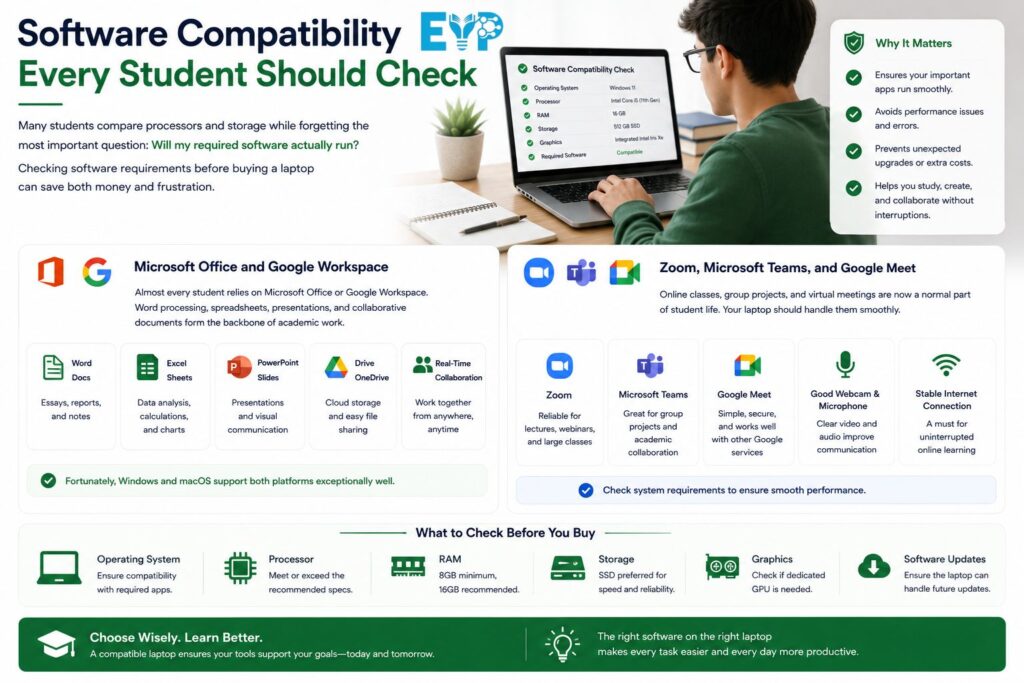
Many students compare processors and storage while forgetting the most important question: Will my required software actually run?
Checking software requirements before buying a laptop can save both money and frustration.
Microsoft Office and Google Workspace
Almost every student relies on Microsoft Office or Google Workspace.
Word processing, spreadsheets, presentations, and collaborative documents form the backbone of academic work. Fortunately, Windows and macOS support both platforms exceptionally well.
Zoom, Microsoft Teams, and Google Meet
Virtual learning continues to play a major role in education.
Your laptop should comfortably run Zoom, Microsoft Teams, Google Meet, and similar collaboration tools without overheating or draining the battery too quickly.
A reliable webcam and quality microphone become just as important as processing power during long online sessions.
Adobe Creative Cloud
Creative students should verify compatibility with Adobe applications before making a purchase.
Programs like Photoshop, Illustrator, Premiere Pro, and Lightroom benefit from faster processors, additional memory, and high-quality displays with accurate colors.
AutoCAD and Engineering Software
Engineering students often rely on demanding applications such as AutoCAD, SolidWorks, MATLAB, and simulation software.
These programs typically recommend higher hardware specifications than general productivity software. Choosing a laptop that barely meets the minimum requirements can shorten its useful lifespan.
Programming and Development Tools
Developers regularly use IDEs, virtual machines, Docker, Git, and multiple testing environments simultaneously.
A laptop with 16GB RAM, a modern processor, and fast SSD storage creates a noticeably smoother development experience.
AI Productivity Tools Used by Students
AI has become part of everyday education.
Students now use intelligent writing assistants, transcription tools, research helpers, coding assistants, and note-taking applications to improve academic productivity.
These applications don’t always require expensive hardware, although newer processors with AI acceleration can improve responsiveness as software continues evolving.
Essential Ports and Connectivity Features
Modern laptops continue getting thinner, yet removing too many ports often creates unnecessary inconvenience.
The right selection of ports makes connecting classroom equipment, external displays, and storage devices much easier.
USB-C and Thunderbolt
USB-C has become the standard connector for charging, data transfers, and connecting accessories.
Thunderbolt-equipped laptops add even faster transfer speeds and support multiple high-resolution displays, making them attractive for students who regularly connect external monitors.
USB-A
Many flash drives, keyboards, and classroom accessories still use traditional USB-A connectors.
Having at least one USB-A port can eliminate the need to carry adapters everywhere.
HDMI
Presentations remain part of college life.
A built-in HDMI port allows you to connect directly to classroom projectors or external monitors without searching for additional accessories.
SD Card Reader
Photography, media, and design students often transfer files directly from cameras.
An integrated SD card reader saves time and reduces dependence on external adapters.
Headphone Jack
Wireless headphones are increasingly common, yet wired headsets still provide dependable audio quality for online meetings and studying.
Keeping a standard audio jack offers useful flexibility.
Wi-Fi 6E and Wi-Fi 7
Fast wireless networking matters more than ever.
Current laptops equipped with Wi-Fi 6E or Wi-Fi 7 deliver stronger performance in crowded classrooms, libraries, and dormitories where dozens of devices share the same network.
Bluetooth 5.3 and Later
Bluetooth connects your headphones, wireless mouse, keyboard, and other accessories.
Newer Bluetooth standards generally provide better stability, lower power consumption, and improved wireless range.
Security Features Worth Paying For
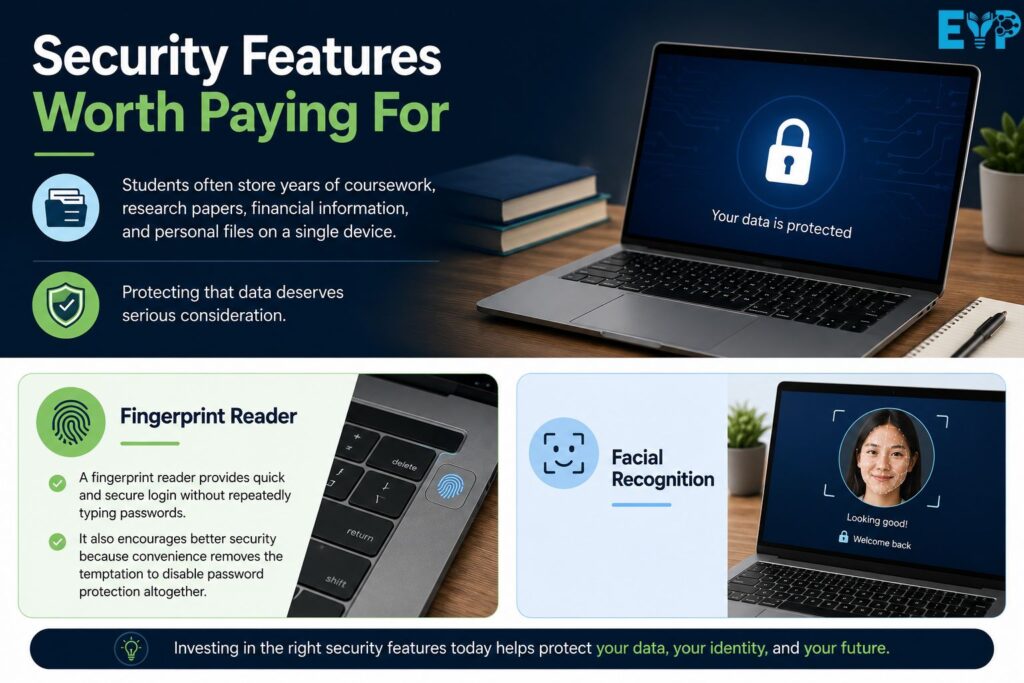
Students often store years of coursework, research papers, financial information, and personal files on a single device.
Protecting that data deserves serious consideration.
Fingerprint Reader
A fingerprint reader provides quick and secure login without repeatedly typing passwords.
It also encourages better security because convenience removes the temptation to disable password protection altogether.
Facial Recognition
Windows Hello facial recognition makes unlocking compatible laptops nearly effortless.
It’s both secure and surprisingly convenient during busy school days.
Webcam Privacy Shutter
Privacy has become an important topic in education.
A physical webcam shutter gives you complete confidence that your camera remains covered whenever you’re not using it.
TPM Security Chip and Device Encryption
Modern laptops often include a Trusted Platform Module (TPM), which strengthens encryption and protects sensitive information.
While you may never notice it during daily use, it quietly improves your laptop’s overall security.
AI Features in Modern Student Laptops
Artificial intelligence isn’t replacing students. It’s becoming another productivity tool.
Knowing which AI features actually matter helps you avoid paying extra for marketing buzzwords.
NPUs and On-Device AI
Many new processors now include dedicated Neural Processing Units (NPUs).
These chips handle AI-related tasks more efficiently while reducing power consumption. As educational software continues adopting AI features, NPUs will likely become increasingly valuable.
Microsoft Copilot+ PCs
Copilot+ PCs represent Microsoft’s newest generation of AI-focused laptops.
These systems include hardware specifically designed to accelerate AI-powered applications while improving battery efficiency.
Students planning to keep a laptop for several years may find these devices more future-ready.
AI Note-Taking and Productivity Features
AI can summarize lectures, organize notes, generate study guides, improve writing, and even explain difficult concepts.
Rather than replacing critical thinking, these tools help students spend more time learning and less time organizing information.
Should Students Pay Extra for AI Hardware?
For most buyers, AI hardware shouldn’t be the first purchasing priority.
Focus on a strong processor, enough memory, quality battery life, and reliable build quality. AI acceleration becomes a welcome bonus rather than a deciding factor.
Budget Planning: How Much Should Students Spend in 2026?
A higher price doesn’t automatically mean a better laptop.
The smartest purchase balances performance, reliability, and affordability.
Best Budget Range
Entry-level laptops work well for note-taking, web browsing, research, and basic coursework.
If your studies don’t involve demanding software, a carefully chosen budget laptop can easily last several years.
Mid-Range Sweet Spot
The mid-range category delivers the strongest value for money.
Students typically receive faster processors, brighter displays, longer battery life, better keyboards, and stronger overall build quality without entering premium pricing.
For most people, this remains the ideal investment.
Premium Student Laptops
Premium models offer refined construction, exceptional displays, quieter operation, and longer software support.
These improvements matter, although they aren’t essential for everyone.
When Spending More Actually Makes Sense
Paying extra becomes worthwhile when your coursework genuinely benefits from additional hardware.
Engineering students, designers, developers, and media creators often recover that investment through improved efficiency and a longer laptop lifespan.
How Long Should a Student Laptop Last?
A good laptop shouldn’t become outdated halfway through your degree.
Choosing balanced hardware today reduces replacement costs tomorrow.
Expected Lifespan
Most quality student laptops remain dependable for four to six years.
Actual longevity depends on hardware quality, software demands, and how well the device is maintained.
Upgradeability
Some laptops allow upgradeable RAM and expandable storage, extending their useful life.
Others permanently solder components in place. Understanding this difference before purchasing can save money later.
Warranty and Repair Considerations
Accidents happen.
Checking warranty coverage, replacement part availability, and repair costs helps you estimate the true long-term value of your purchase.
Future-Proofing Without Overspending
Future-proofing doesn’t mean buying the most expensive laptop available.
Instead, choose specifications that comfortably exceed today’s minimum requirements. That usually provides enough performance for several years without unnecessary spending.
Common Laptop Buying Mistakes Students Make
Many purchasing mistakes are surprisingly easy to avoid.
Recognizing them beforehand leads to a smarter buying decision.
Buying More Power Than Needed
Not every student needs a workstation or a gaming laptop.
Buying hardware you’ll never fully use often means sacrificing battery life and portability.
Ignoring Battery Performance
Specifications look impressive on paper, yet daily experience depends heavily on battery performance.
Always look beyond manufacturer claims and read real user reviews whenever possible.
Choosing HDD Storage
Mechanical drives remain slower than modern SSDs in almost every measurable way.
Choosing an SSD improves startup speed, application performance, and overall responsiveness from the very first day.
Overlooking Display Quality
Students stare at their screens for hours every day.
A brighter Full HD display with an IPS screen usually delivers greater long-term comfort than upgrading to a slightly faster processor.
Forgetting About Port Selection
A laptop with too few ports often forces you to carry multiple adapters.
Thinking about your accessories before purchasing helps avoid unnecessary frustration.
Buying Based Only on Brand Name
Well-known brands certainly matter, yet individual models vary significantly.
Focus on hardware specifications, durability, software compatibility, and independent performance tests rather than relying solely on logos.
Recommended Laptop Configurations by Student Type
Different degrees create different hardware requirements.
Matching your laptop to your coursework usually produces better results than simply buying the newest model.
Everyday Students
For general education, writing assignments, presentations, research, and online learning, a modern mid-range processor, 16GB RAM, and 512GB SSD provide an excellent balance.
STEM Students
Students studying science, engineering, mathematics, and programming benefit from additional processing power and memory.
A reliable Windows laptop with 16GB RAM or more remains an excellent long-term choice.
Business Students
Business majors spend much of their time using spreadsheets, presentations, video meetings, and office applications.
Battery life, portability, and keyboard comfort often matter more than maximum processing power.
Medical Students
Medical education involves extensive reading, research, online lectures, and clinical software.
A lightweight laptop with dependable battery life becomes invaluable during busy schedules.
Creative Professionals and Designers
Students working with design software should prioritize display quality, processor performance, memory capacity, and graphics capability.
Color accuracy often matters more than screen resolution alone.
Computer Science Students
Programming students benefit from fast SSD storage, multiple CPU cores, and sufficient RAM for virtual environments.
A reliable keyboard also becomes surprisingly important after thousands of lines of code.
TheLaptopAdviser Student Laptop Buying Checklist
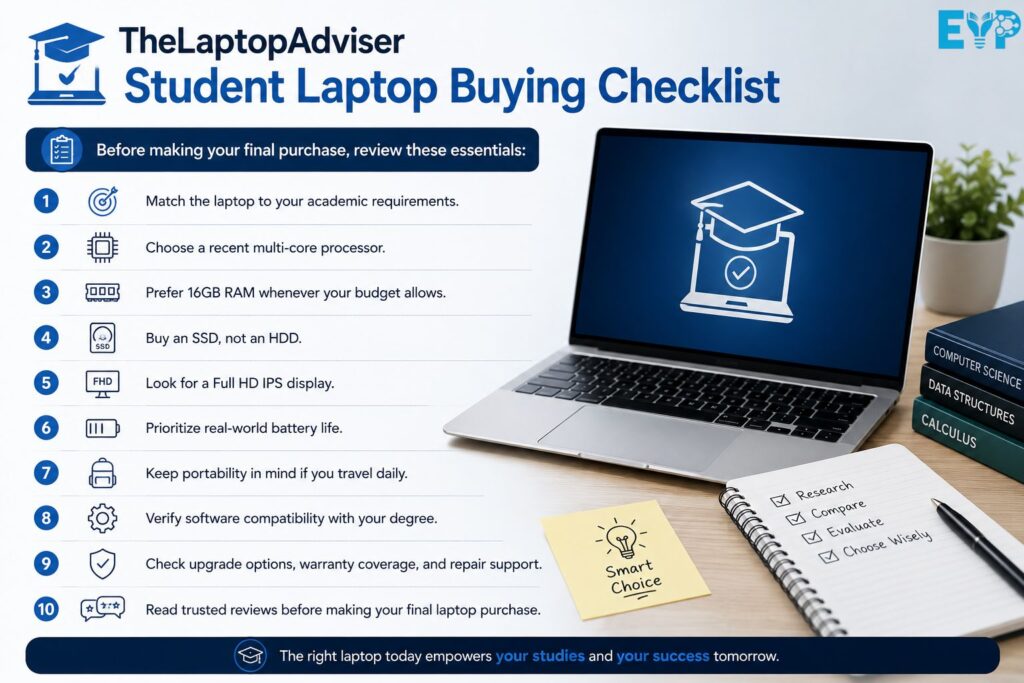
Before making your final purchase, review these essentials:
- Match the laptop to your academic requirements.
- Choose a recent multi-core processor.
- Prefer 16GB RAM whenever your budget allows.
- Buy an SSD, not an HDD.
- Look for a Full HD IPS display.
- Prioritize real-world battery life.
- Keep portability in mind if you travel daily.
- Verify software compatibility with your degree.
- Check upgrade options, warranty coverage, and repair support.
- Read trusted reviews before making your final laptop purchase.
Following this thelaptopadviser educational laptop checklist helps eliminate guesswork and leads to a more confident buying decision.
Frequently Asked Questions
What is the best laptop specification for students in 2026?
For most students, a recent Intel Core Ultra, AMD Ryzen 5, or Apple M-series processor paired with 16GB RAM, a 512GB SSD, and a Full HD IPS display provides excellent long-term performance.
Is 8GB RAM enough for college students?
Yes, for basic coursework. However, 16GB RAM offers better multitasking and greater longevity, especially if you frequently run multiple applications.
Should students choose Windows, macOS, or Chromebook?
Choose the platform that supports your required software. Windows offers the broadest compatibility, macOS excels in creative workflows, and ChromeOS works well for cloud-focused learning.
How much SSD storage is enough for school?
A 256GB SSD works for light users, while 512GB provides more flexibility for projects, software, and future growth.
Is a dedicated graphics card necessary for students?
Not usually. Most students perform perfectly well with integrated graphics. Dedicated GPUs mainly benefit creative professionals and engineering students.
What screen size is best for studying?
Fourteen-inch laptops strike an excellent balance between portability and workspace, although 15.6-inch models suit students who spend most of their time at a desk.
How much should a student spend on a laptop?
A quality mid-range laptop typically offers the best balance of affordability, performance, and durability.
Can an educational laptop last four to six years?
Yes. Choosing modern hardware with sufficient memory and SSD storage greatly improves long-term reliability.
Are AI-powered laptops worth buying for students?
AI features are useful, yet they shouldn’t outweigh core priorities like battery life, display quality, processor performance, and build quality.
Which features should students prioritize over brand names?
Focus on performance, battery life, keyboard quality, display, software compatibility, durability, and repairability before considering brand reputation.
Final Thoughts: How to Choose the Right Educational Laptop with Confidence
The best laptop isn’t necessarily the most expensive one or the model with the longest specification sheet. It’s the one that fits your coursework, your daily routine, and your budget without compromise.
That idea sits at the heart of TheLaptopAdviser, thelaptopadviser education laptops, and every thelaptopadviser educational laptop recommendation. Start with your academic needs, understand the software you’ll use, choose balanced hardware, and invest in features that genuinely improve your daily experience. A thoughtful purchase today can support years of productive learning, making it one of the smartest investments you’ll make throughout your education.

Muhammad Bilal is an expert blogger specializing in meanings in text, delivering clear, engaging insights that help readers understand modern language, slang, and digital communication trends.